Case 02 // HomeDash
A second life for Android photo frames.
A household dashboard shaped around the hardware I had and the interface I wanted.
Start with what’s available.
I started with inexpensive Android photo frames. I replaced their software and built HomeDash to bring information from my home network, calendars, and an iCloud shared photo album into one application.
The project gave those devices a new purpose and gave me a practical problem to work through: how to make the experience I wanted fit the hardware I already had.
Let the constraint shape the solution.
The older Android platform brought compatibility limits. The alternatives I tried didn’t preserve the look and feel I wanted, so I built a static app that synchronizes server data while keeping the desired interface.
That adaptation is the heart of HomeDash: working through the relationship between the device, the application, and the information it needs.
Household information in one place.
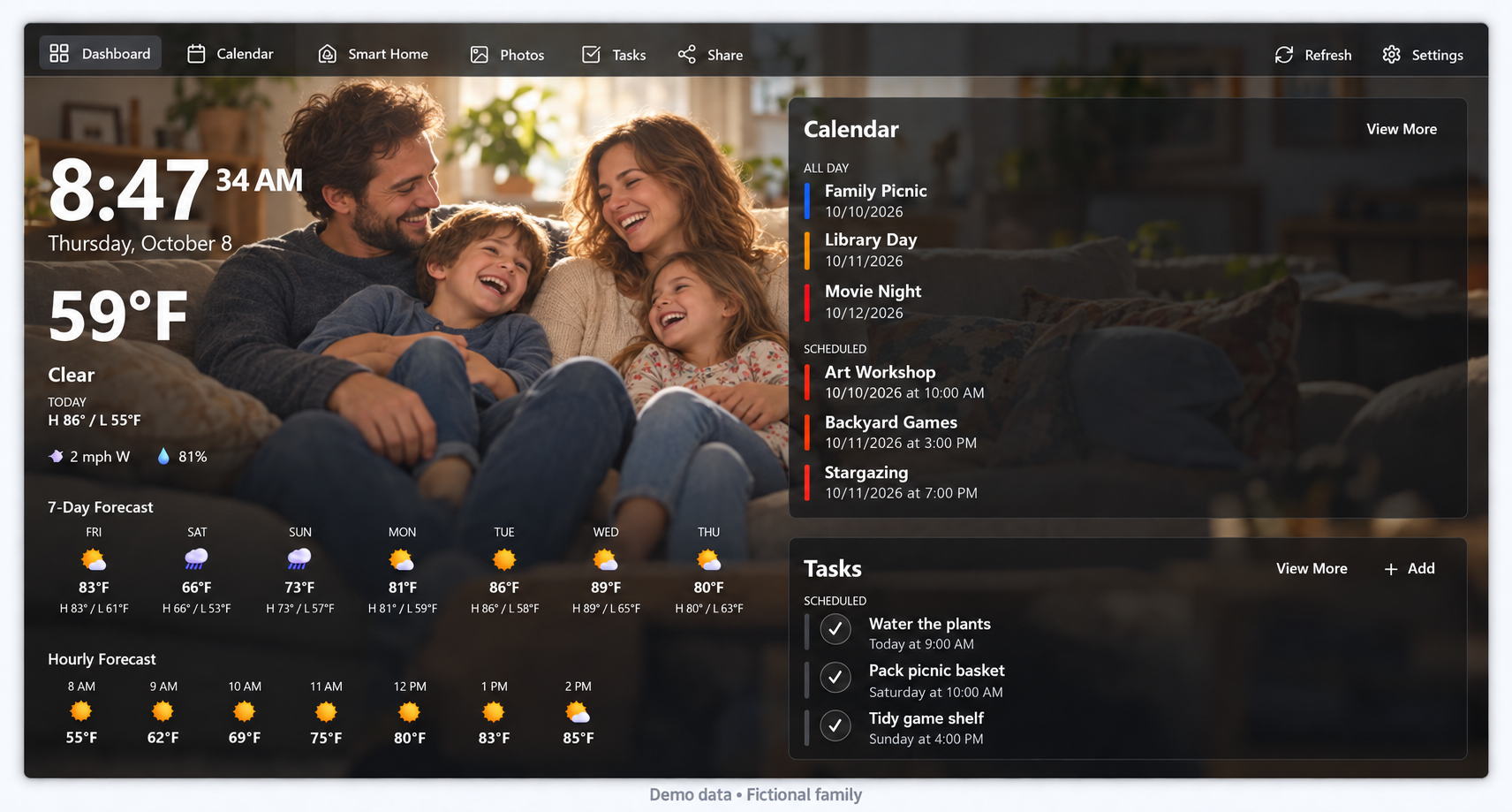
The current application has a dashboard and dedicated views for calendars, photos, tasks, and smart-home status.
- Dashboard: forecast, all-day items, and scheduled events
- Calendar: a populated month view, navigation, Today, and events
- Photos: dated thumbnails and a slideshow control
- Tasks: an entry form, due dates, and active/completed sections
- Smart home: device status cards, including unavailable states
What this project represents.
HomeDash brings together the parts of technology I enjoy: understanding a constraint, adapting the pieces, and making something useful out of them. It is another example of the same approach I bring to a work problem, applied at home.
The image above is an edited presentation of HomeDash with a fictional family photo, calendar events, and tasks. It is not a pixel-identical screenshot.
This case study shows the interface and the design approach. It does not demonstrate slideshow playback, task changes, or device operation, or establish offline behavior or transport security.